This has been another extremely busy week, I’m suprised I managed to get as much work done as I did as I needed to travel to Sydney over the weekend. Anyway this week’s dev diary I will dive into topics such as Procedural Generation, Goal Oriented Action Planning, Creating Pathdata for pathfinding, adding new content to IRNTJ and extending and refocusing the analytics tool that I worked on in Weeks 1 and 2.
Procedural Generation
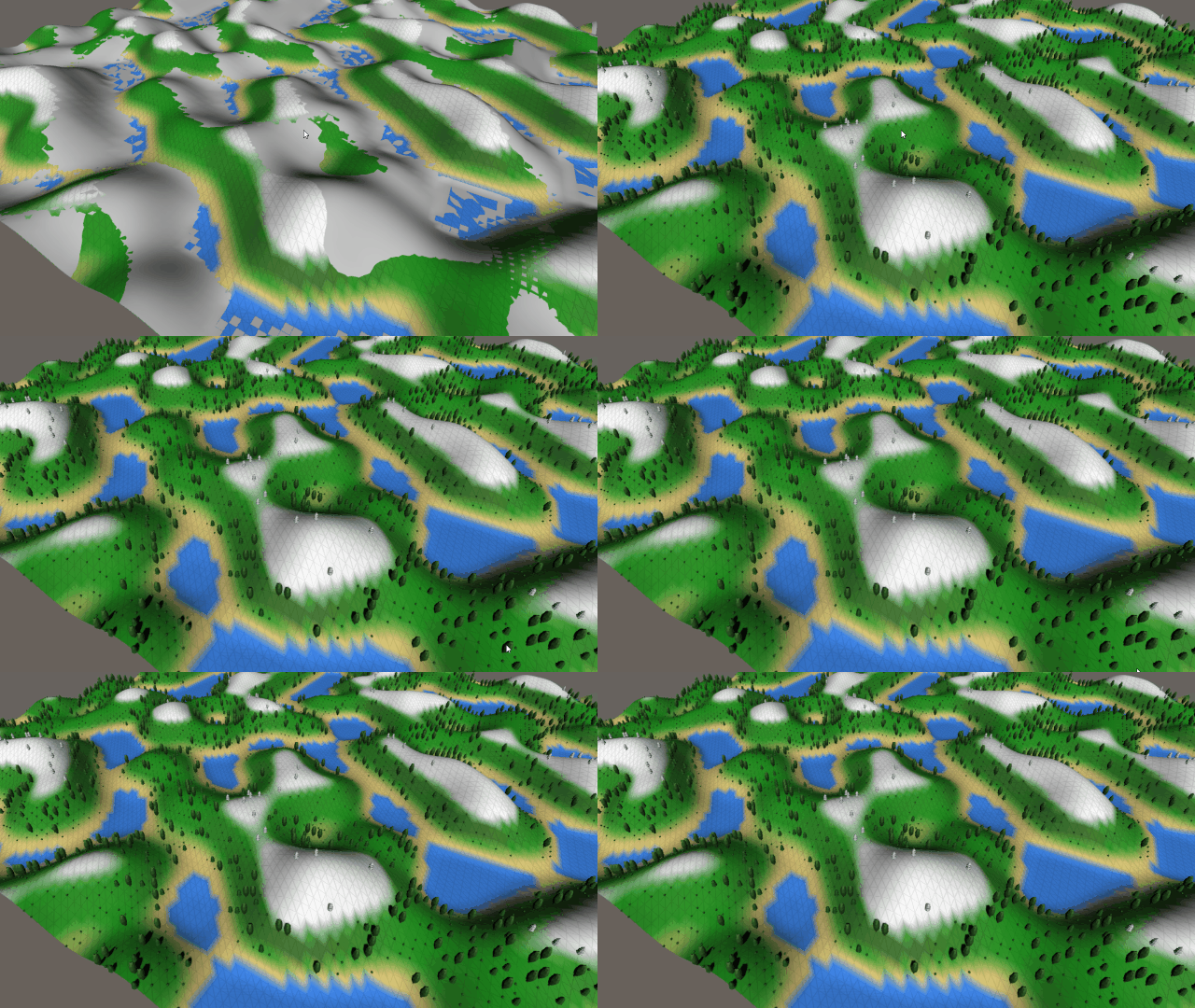
This week I learned much about how procedural generation works and how I implemented it into my Creature Feature Project. First, a Perlin noise chart is created by the user, this allows for a set of random values to be created but is consistent. From here a height map can be created from the noise chart previously created and applied to a terrain. The data from the height map is then used to create a mesh that has a definite number of vertices, from these vertices the slope and height can be determined and the mesh can be colored. The player must then create a number of heights to determine the height of items such as Water, Sand, Grass, and Snow, from here the user is able to color the vertices according to their height. Additionally, the user is able to spawn in trees and bushes according to the height of the vertex.
Goal Oriented Action Planning – G.O.A.P
GOAP is an AI system that gives your agents choices and the tools to make smart decisions without having to maintain large and complex finite state machines. GOAP makes use of GOALS and ACTIONS, a goal can be defined as something that the AI wants to achieve, such as Get Food or Eliminate Threat and these goals can be met through the use of actions. An action is something that the agent does, there are certain sets of actions that would lead to the completion of a goal and therefore the AI can decide on which actions they want to perform depending on the goal. To help with choosing between actions each action is given a cost, the AI will attempt to achieve a goal with the lowest amount of action possible. Once the course of action has been determined the actions are put into a stack and executed sequentially.
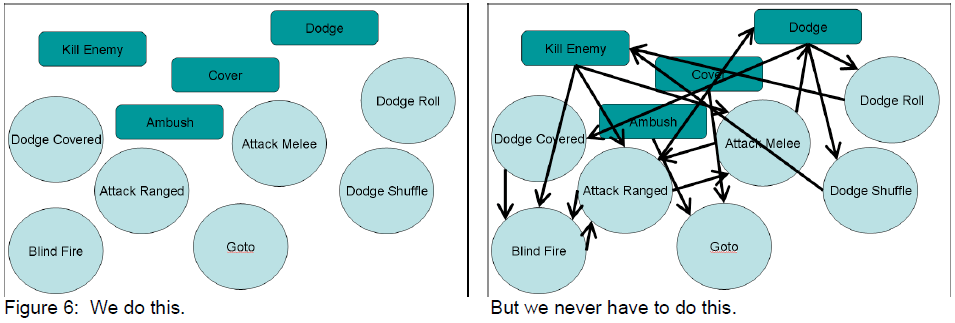
Here is an extremely good resource explaining the basics of GOAP.
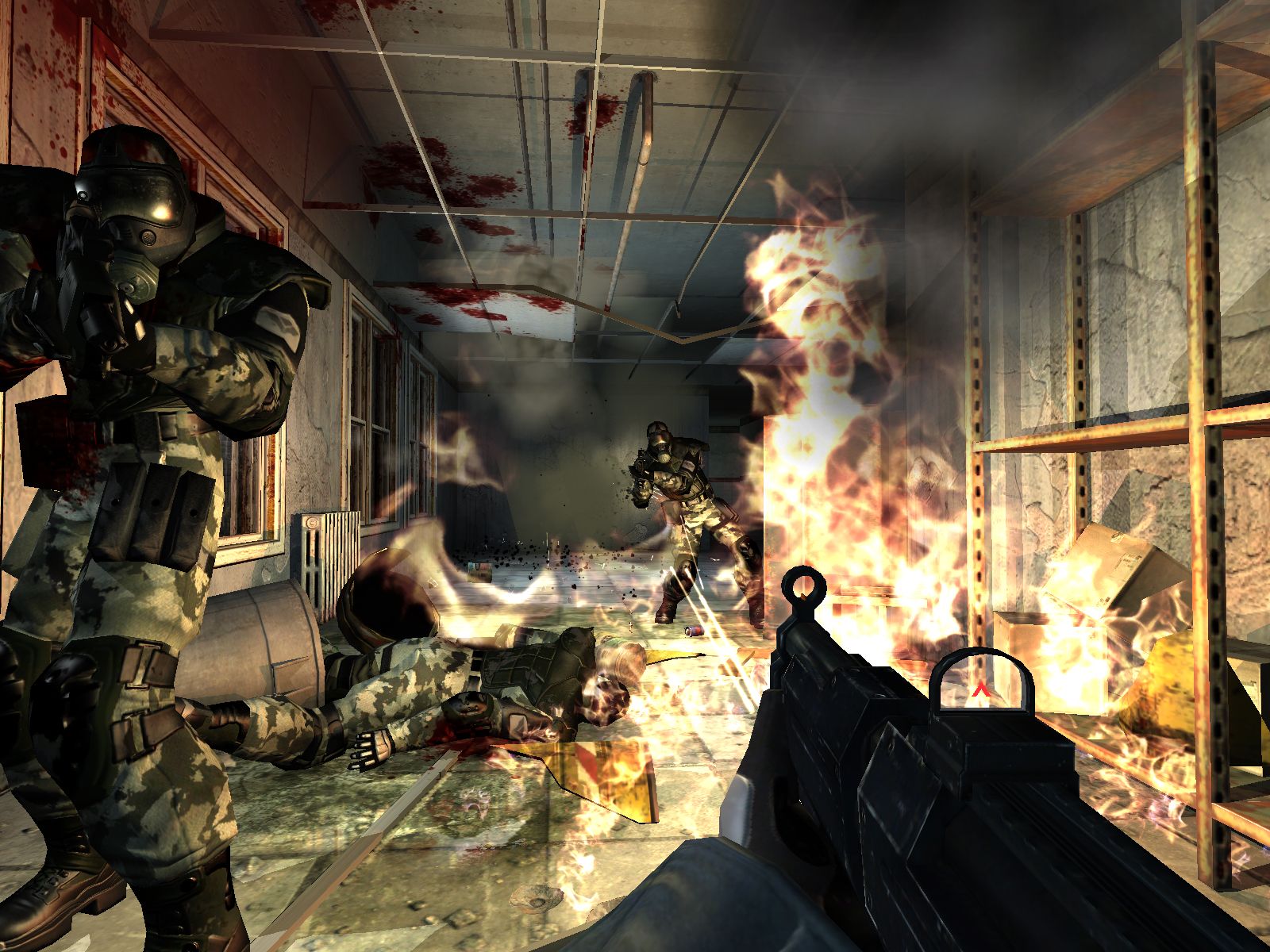
GOAP has been used in a number of games, one of the most prominent examples of this is the game F.E.A.R. In this game there are three main states of AI:
- Goto – The bot is moving towards a particular location where nodes have been denoted to permit some actions to take place when near them.
- Animate – This state enforces that bots will run animations that have the context within the game world.
- Use Smart Object – This is essentially an animation node, the only difference is the animation is happening within the context of that node.
FEAR uses the STanford Research Institute Problem Solver (STRIPS) for its planning system. Planning allows them to decouple actions from goals, but it also means that they could enforce who can execute actions using preconditions. A range of actions can be created that are unique to different types of characters in-game, meaning more emergent behaviors can arise.
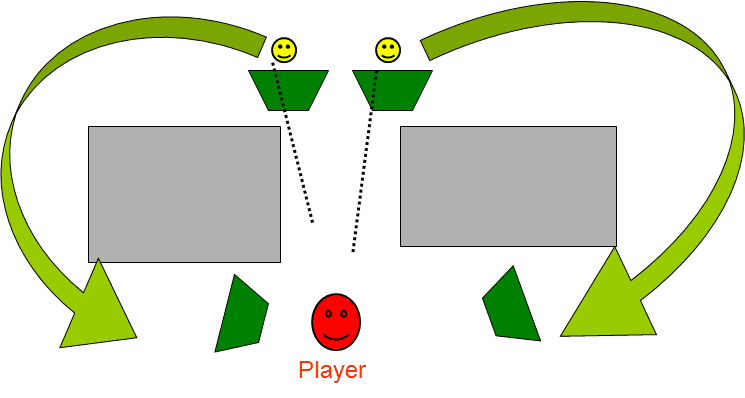
One of the key features of FEAR AI is the fact that the enemy feels like they work together to surround you and kill you. This seems like the work of extremely complex AI, however, it is actually quite simple. The game is reliant on a coordinator that ensures that NPCs don’t cluster too close together or break too far apart. The squad coordinators simply need to send the goal or task assigned to each agent in their squad and each agent then has its own sensory information to help them make decisions. This gives the sense that each AI agent is working together in unison to complete their goals.
New Stage in IRNTJ
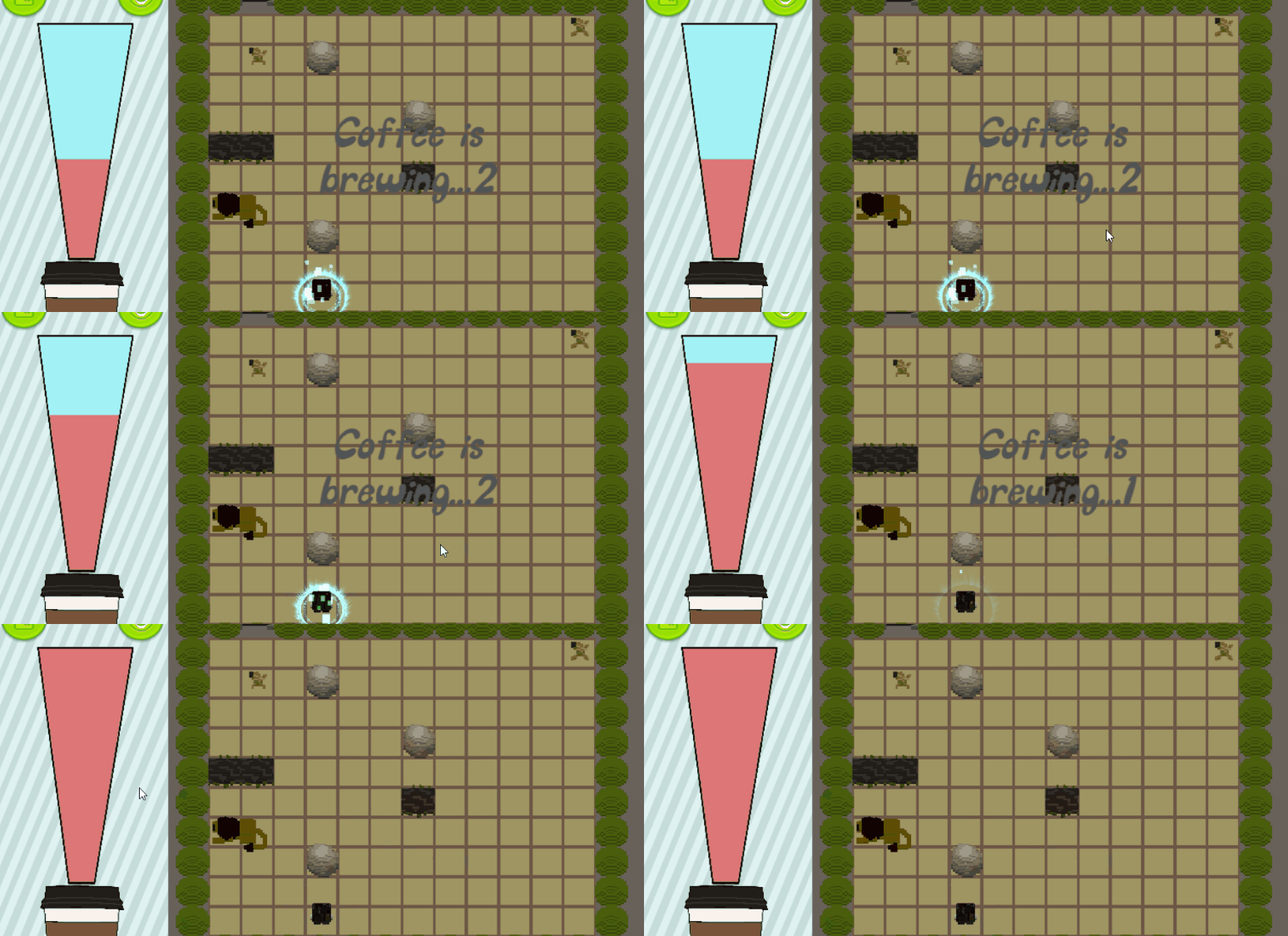
A game that I am currently working on and wanting to complete is I Really Need This Job the current push for the development of this game is to create new stages. The first stage available to players is located inside a warehouse where the player encounters traps such as TNT, Bear Traps, Fire Exhausts, and Rakes. Adding new stages to the game allows us to explore different environments and add new and exciting traps to the game:
- Banana Bomb – Players slipping on the banana will explode
- Sleeping Lion – Contact against the lion will wake it up , the lion will then chase the player for a short duration and eat them if possible, otherwise it will go back to sleep.
- Gate Trap – Acting as a barrier with a one-way type of mechanic opens up the possibility for new puzzles.
- Konkey Dong – A giant donkey that throws barrels at the player’s position forces the player to keep moving.
This week I was able to push the actual CSV loading of the different assets and prefabs of the game into a level.
Creating the Pathdata
After generating the world in our Creature Feature project I encountered the problem of creating nodes for use in the game. In my initial implementation the Node class contained three points of information:
- Vector3 Location – the centrepoint location of the node
- bool Traversable – whether the node was traversable
- float Slope – what the slope of the node was
I then created a list in order to store all of these nodes and this created a list with 16,384 elements. After considering a while on how the nodes would realise the nodes adjacent to it, I noticed a flaw in my current system where the nodes don’t know which ones they can travel to. This was because the node was missing an essential piece of data and that was the Edge, which details out the two nodes that it is connected to and the cost of travelling over the edge. I then proceeded to add the edges into each available node and converting the List into a two dimensional array as the pathdata being recorded is in a grid format. Now each node has a list of edges that it can travel down, these edges link to other nodes and the pathdata system is ready to be used for finding a path from one node to another.
Working on the Analysis Tool
An aspect of the Analysis Tool that we created last week still bothered me and this was the integration and cohesion of the system. Because, the tool was mainly worked on individually each system was separate and does not work as a complete tool but instead 4 separate tools that work together. I wanted to change this, I was able to integrate the movement recorder with the movement playback editor window. This was done fairly simply as Mitchell had clearly set out functions that initialised the starting and stopping of the recording. I simply needed to create buttons in the editor window that referenced and called those functions.
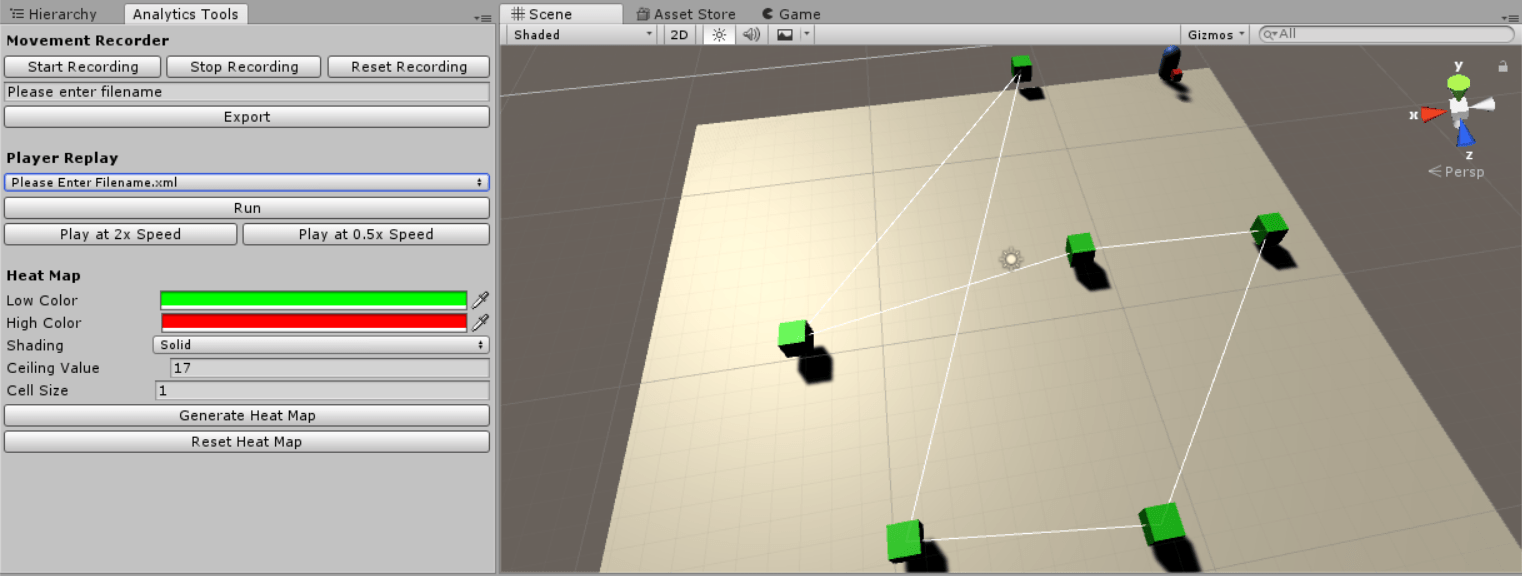
The heat map display was slightly different, I initially thought that I would be able to run all the HeatMapDisplay.cs code through the editor window, however, this was not possible due to the OnDrawGizmos function that’s only available under MonoBehaviour. I implemented a system similar to the movement recorder where the user is able to determine the values needed for the heat map display within the editor window and be able to press a button to display the heat map. Another point of optimisation was the fact that the HeatMapGen was reading in from a MovementDataList XML and then saving the HeatMapData into it’s own XML and reading it once again, this was streamlined by simply converting the MovementDataList XML and directly inputting the HeatMapData into the heat map display immediately. The system now feels more cohesive and can be controlled directly from the editor window.

Leave a reply to Studio 2 Presentation – Me, My Blog and I Cancel reply