The first week of this trimester went fairly quickly with multiple projects being worked on and learning new concepts throughout the week. This week I tackled working through GitHub issues in multiple projects, creating an analysis tool and converting Midi files into usable code.
GitHub
GitHub and version control is extremely important in software development, it is a vital process at where I work in developing web pages and web systems. It allows for backups to be made of the project and allows for development between multiple developers, therefore it’s important to know how to properly use it. It is especially difficult when using version control with Unity as you are unable to actually merge Unity scenes.
Simple guide to Git: http://git.huit.harvard.edu/guide/
When working on the Analysis tool, we chose to all work on the trunk, master, this meant that all of the changes that we were pushing would directly affect the main build of the project. This means that we need to be extra careful when pushing changes as it affects the entire project and everyone else’s working base. This caused errors nearly immediately, checking into the project on Wednesday the build was completely broken as there were multiple projects in the same folder, after some debugging we found that this was caused by rearranging of the folders in the project files. The main thing I learnt with this experience is the process of working on master, that is committing your changes, pulling from master, resolve any merge conflicts and test your build, and then committing the merge and pushing to master. This ensures that you are taking into account the changes made to master as you were making your changes and that you aren’t pushing a broken build.
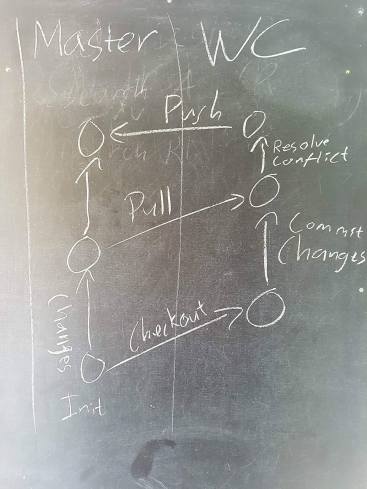
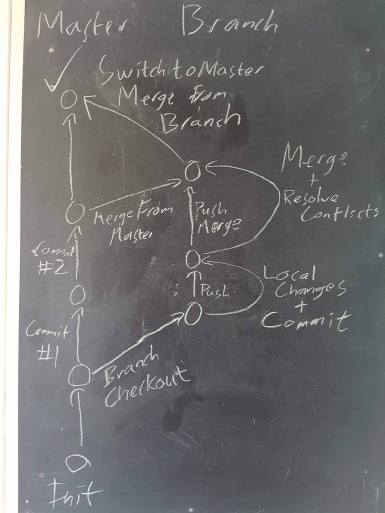
An additional issue that I had to work through is working through branches when working on our game Crowd Control where I was trying to talk Victor through accidentally committing his changes to the incorrect branch. We were eventually able to rollback his changes but I was warning him to ensure that he merges with master regularly to avoid a huge merge conflict later on down the track. This got me thinking about the process of version control using branches this is fairly similar to the previous section on
- Commit and push changes to your branch
- Merge latest from master
- Resolve conflicts and push changes to your branch
- Switch to master and merge changes from your branch
I will continue to research and discuss Git techniques and processes throughout the trimester as I come across them.
Analysis Tool
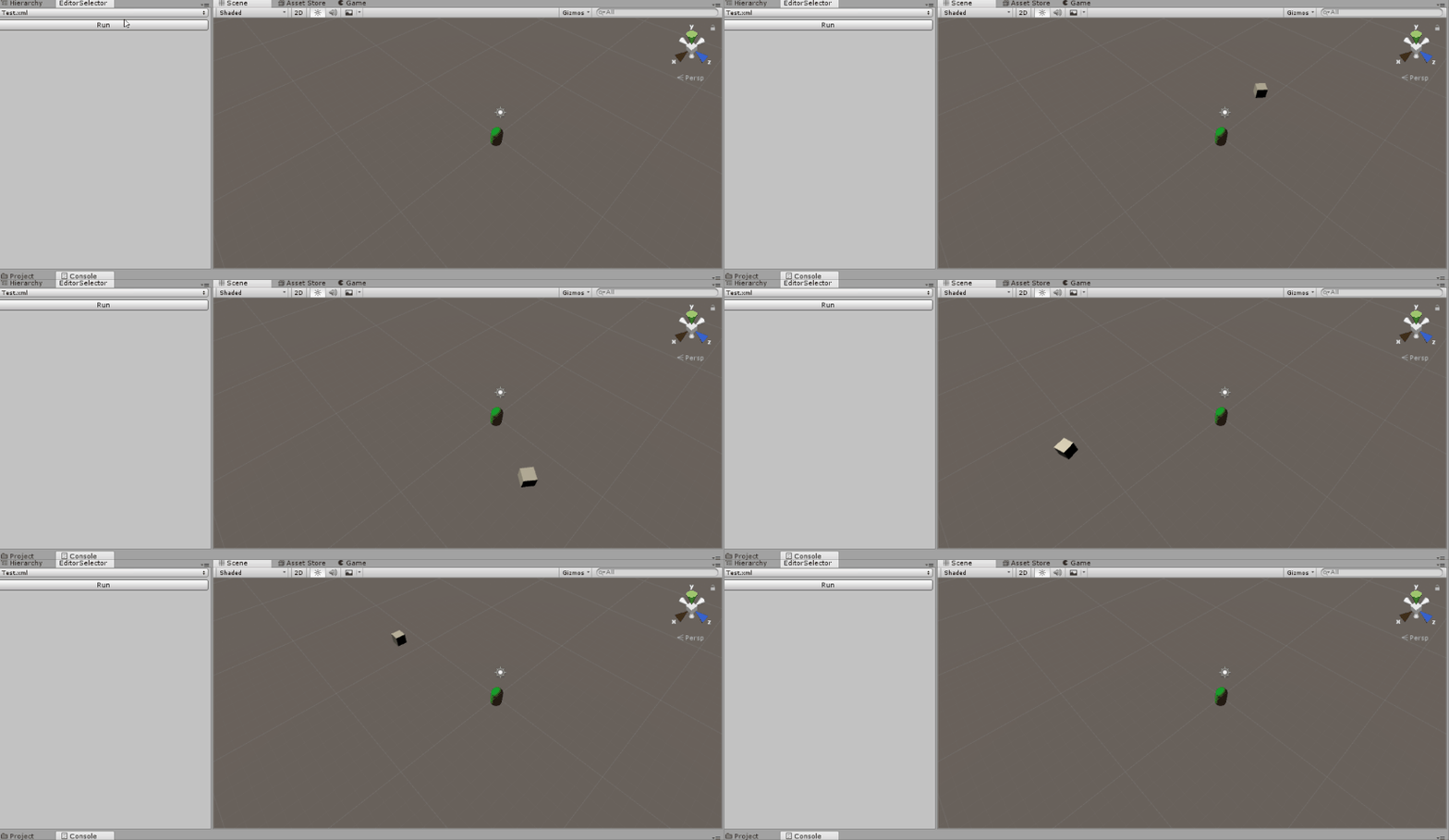
For our first project in studio 2 is about creating an analysis tool, where it records the player’s movements and is able to show the player’s path, replay the player’s movements and create a heat map of the player’s movements throughout the level. I am responsible for replaying the player’s movement, in my initial brainstorming process of how to implement the feature I thought to simply make the position recorded the position of the dummy ghost gameobject. This was to be implemented in game time where the game is running and the player would press a button and it would run the replay.
Afterwards, I needed to make considerations for loading different recording files and replaying those, I considered creating a GUI on the screen when the game was running and after searching for an appropriate GUI was unable to find an appropriate file explorer. I eventually found the Editor Window class which allows me to create a custom editor window within the Unity editor, and I got it to load in a list of all of the available files in a certain folder. After further research, I discovered the EditorWindow Update function that works while the editor is running, this allows me to implement the replay feature through the Unity Editor instead of while the game was running.
Midi Files


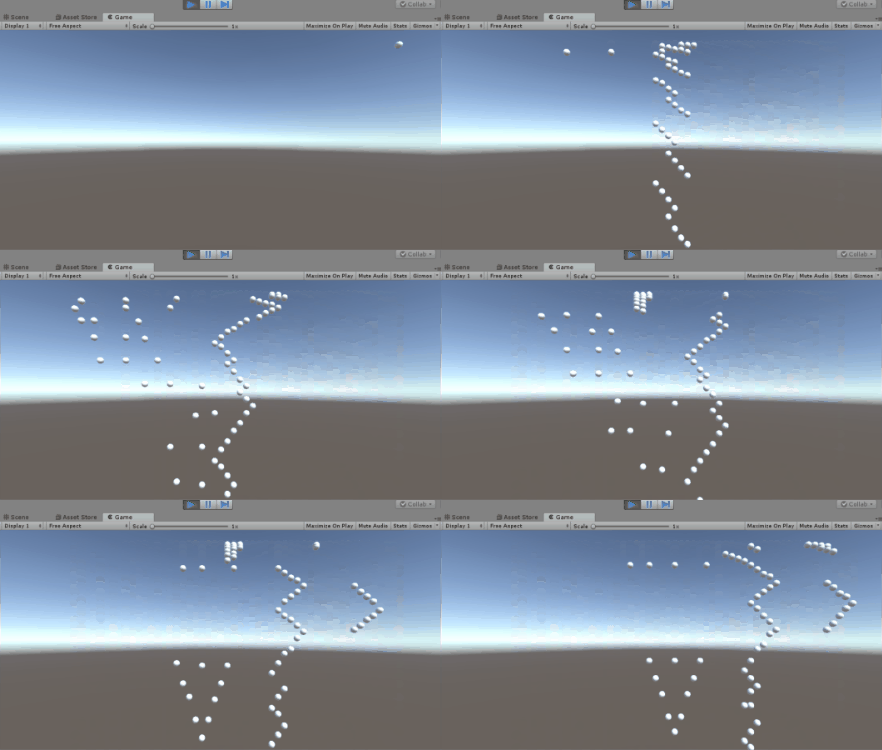
My current personal project of creating a rhythm game relies heavily on converting midi files into notes and timings for when the notes happen. After some research, I implemented into my project, NAudio, a plugin that converts Midi files into a readable class. I chose to read the Midi file and output the data into a notepad, the whole project was lacking documentation on the website so I spent some time debugging the available functions and data into a doc. Now knowing that the notes are outputted by the program as integer numbers I created a small test program that on every note spawns a gameobject and correlated the X position of the game object with the NoteNumber. This caused the following output:
There is still so much to learn when converting the Midi files properly such as timing, this is going to be a huge focus in the week to come. Ensuring that I use the deltaTicksPerQuarterNote properly to play notes at the correct times.

Leave a comment