This week has been absolutely hectic with work and study going hand in hand, but we have made really good progress on getting the game to a good working state. I managed to add a tween to the player’s movement so that they were no longer moving linearly, this made the game feel more like a game rather than a prototype. Additionally, I was able to add some placeholder audio to the game for actions such as the bear trap, player footsteps, rake hitting while we are waiting for the audio student to get back to us about the creating some assets for our game.
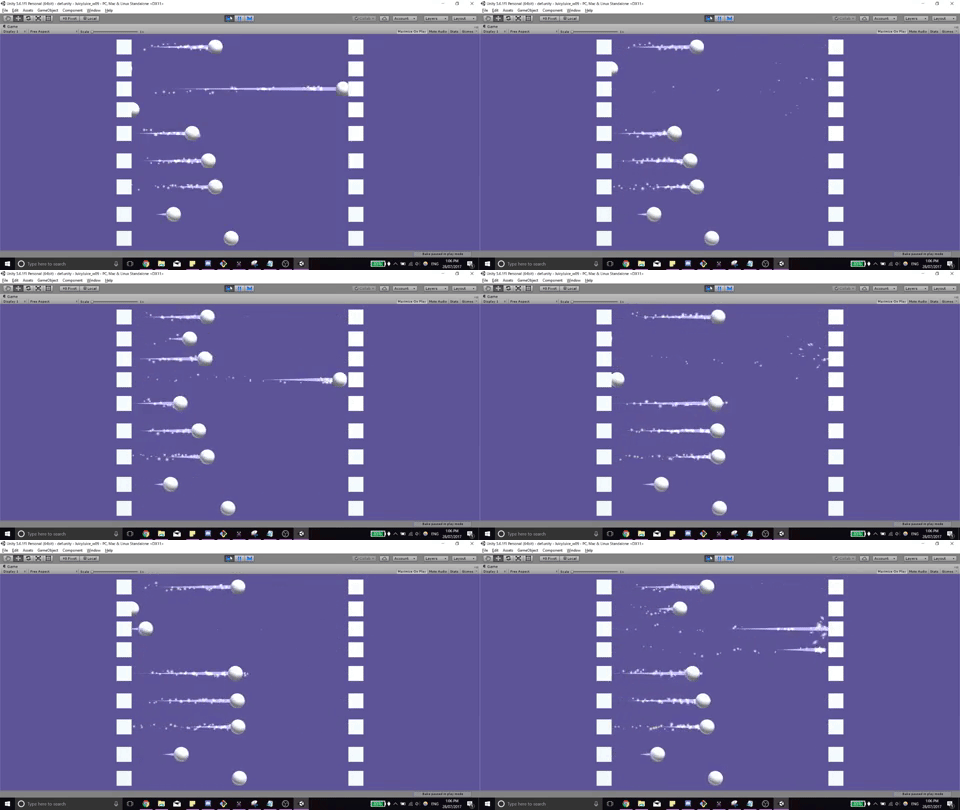
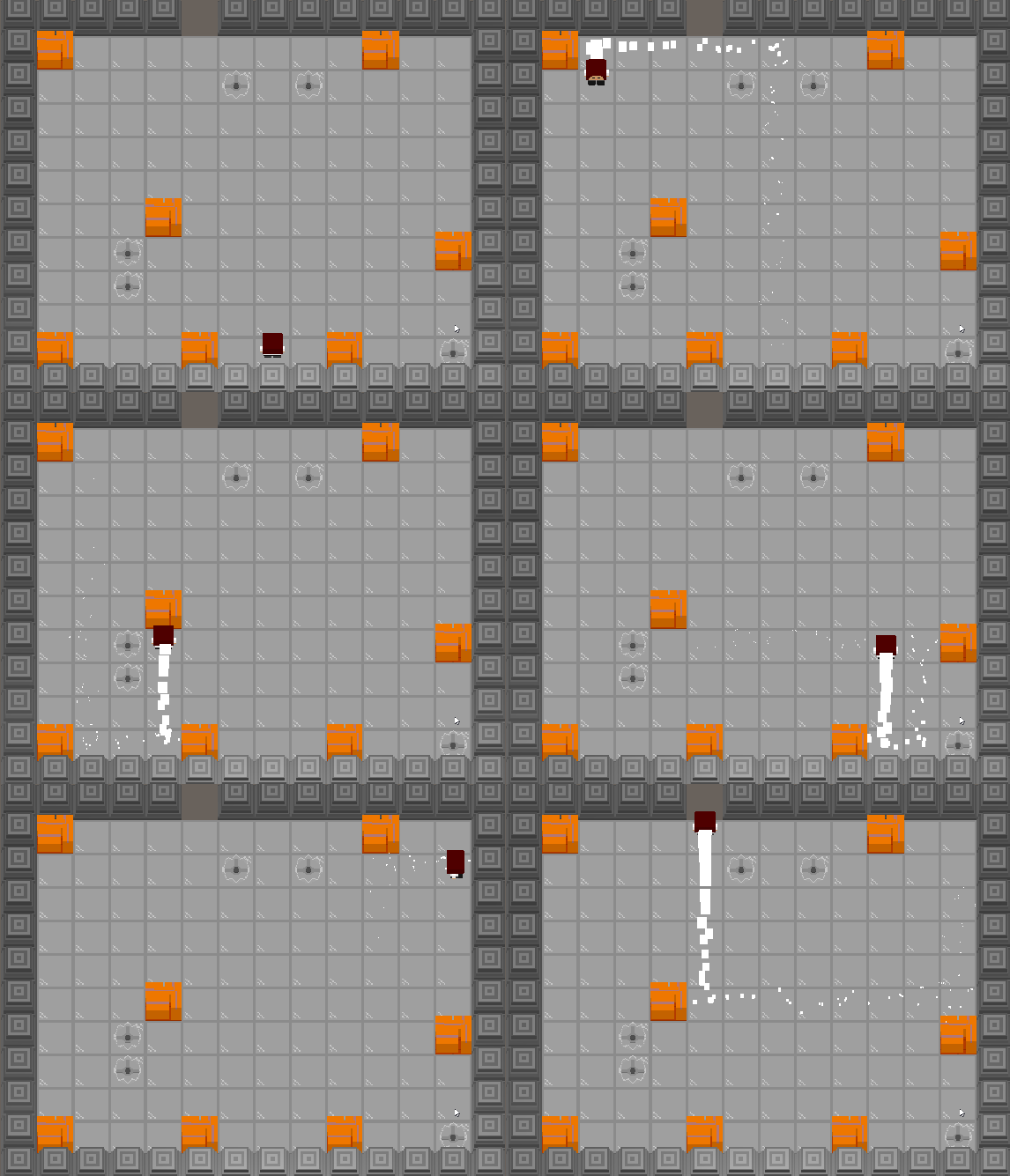
Examples of different tweens
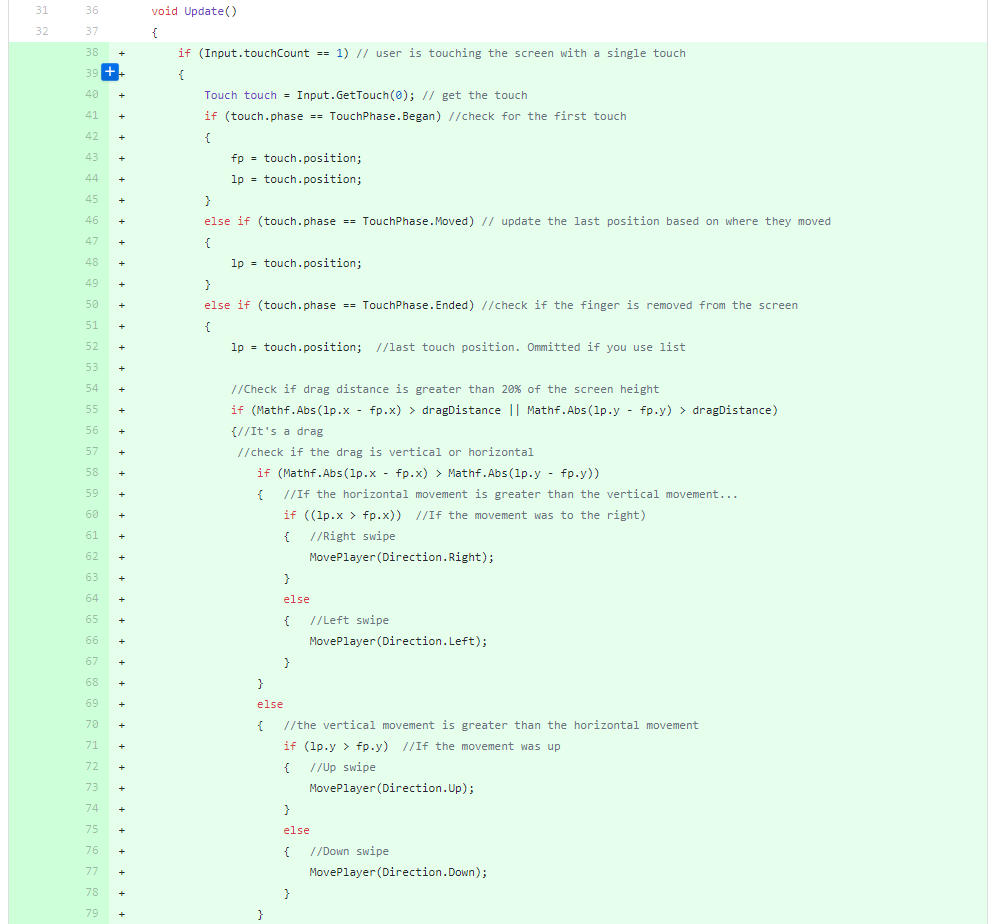
We had a playtest on Monday and because the end product of the game was going to be an Android game we wanted to get the first playable prototype to work on Android. That turned my focus on working on two main aspects of the game and those are being able to load CSV levels on Android and implementing the swipe controls into the game. The swipe controls were fairly simple and pretty much worked straight away, basically, Unity can record when you initially touch the screen and when you finish the touch, then to detect the direction of the swipe just calculate the difference of the start touch and end touch location, calculating the X difference against the Y difference using these values we can determine which direction the swipe was.
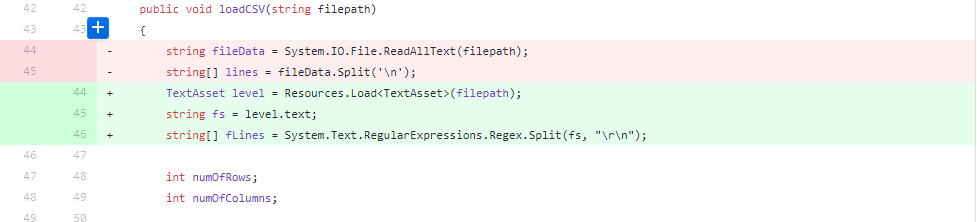
The next problem that I had to solve was to get the CSVs loading on device, it wasn’t loading in the game at all even though it was working on the PC build. I did some research and realised that the external files weren’t packaged into the APK automatically and I attempted to use something called the Streaming Assets Folder. However I was unable to get it to work, so I found another solution by using the Resources class and specifically the Resources.Load function. This allowed me to package Text Asset files into the APK and load them through the Resources.Load function, I had to modify my CSV parser slightly to read from Text Assets rather than CSVs.
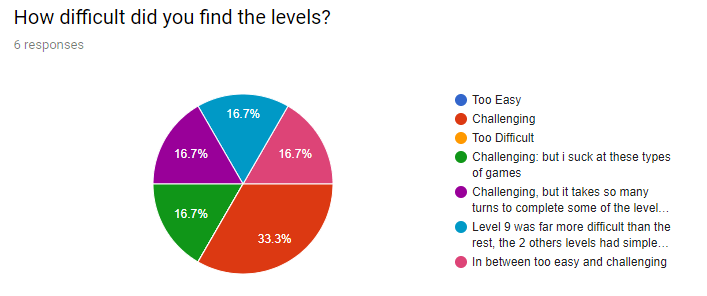
During our first playtest we got some fairly positive feedback and were able to get people’s general thoughts on the game overall. We were concerned with the difficulty of the levels, this needed to be challenging and possibly have a number of attempts to complete a level, but shouldn’t be too difficult so that the level was frustrating, but we received fairly good feedback in regards to it. The main feedback was fairly good, but one thing that concerned us was the fact that the number of turns that we give players is around the exact number of turns that are needed to complete the level. This combined with the fact that players were never experiencing any of the traps because they essentially had infinite time when attempting the puzzle.
We needed to come up with a solution to increase the pace of the game allowing players to make mistakes and learn from those as they keep playing, and this needed to be completed within the next week. We came up with the solution to change the number of turns into a real time timer, this decision was aimed to make a number of changes in the player’s behavior when playing the game:
- Faster – Players would have to make decisions quicker and possibly try out paths without fully knowing where they would end up.
- Infinite Moves – The player would essentially have infinite moves within the constraints of the timer, this allows them to play around with the sliding style of movement, which is meant to be fun!
- Traps are deadlier – When you are put under pressure you are more likely to make mistakes and run into a trap, therefore players are more likely to experience traps. Additionally, we realised that most players didn’t even notice that the rake trap took up an extra turn off the turn counter, having it real time ensures that the effect is obvious.
So between Monday and Wednesday where we were going to have a larger playtest we had a number of changes that we needed to implement. The main change was the switch over from the turn based game to a timer based game, updating the player movement so that it was faster and adding more levels for people to play. We were able to do this in the two days that we had and were able to present it to people for playtesting.


This time we were quite focused on how the game felt for people after we implemented a timer instead of a turn based game. We were able to get 30 responses to the game which is fantastic and we got quite a good response, we still however received one player who was extremely upset with the implementation of the timer as it gave them no chance to actually figure out the puzzle. The feedback on the timer was quite good because we wanted players to be aware of it and make mistakes throughout the levels. But some of the feedback was related to the controls of the game which needed to be smoother because players had to wait for the player to stop moving before inputting a move for it to properly register. Additionally, it felt unfair to some players that the levels just start without any warning because of the timer. So after a successful playtest we had quite a large amount of work to do before the next playtest which would be on the SAE Open Day on Saturday, this would be much different as the playtesters wouldn’t be students but instead just random people.


There were a number of changes that we wanted to complete before Saturday to be able to get feedback on and these were:
- General Bug Fixes – There were a number of fixes that included being able to move after dying from the bear trap and being able to stand in fire that needed to be fixed.
- Queueing up commands – This is a change that would allow players to queue up actions between movements smoothly and be able to get around the level faster, which is extremely important in a time based game, we don’t want the players being frustrated at the game for having poor controls or input commands.
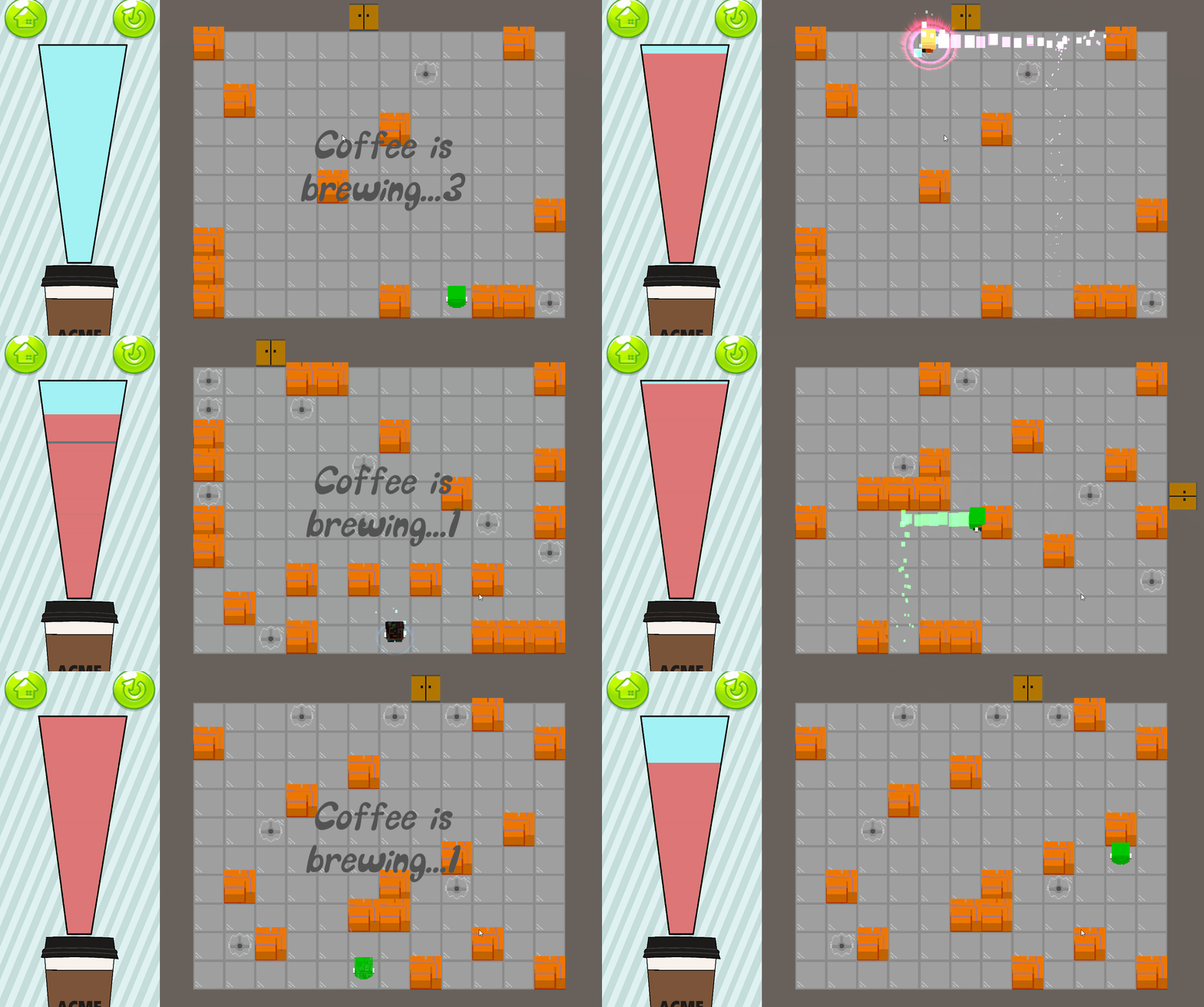
- Hot-o-meter Gradual Decrease – Removed the text for the timer and allowed the bar to slowly decrease this gives the player only an estimate of how much time is remaining which puts more pressure on them and looks better.
This third playtest went quite well we received feedback and got people that weren’t students or teachers to play the game and give feedback. I had a kid come in and start playing our game and it was amazing because his reaction and gameplay experience was exactly how I imagined the game to feel. He was rushing through the levels, diving headfirst making mistakes but learning from them as they progress, a couple of times he only had a few seconds remaining and he needed to get to the exit but he rushed the fire traps and went to early and got fried because of it. Watching him play and enjoy the game allowed me to see my hard work pay off in a positive way, it was an extremely enjoyable experience.
During our final iteration, before the project was due I needed to add a few more changes to the game, this included:
- Game Feel – Adding a charcoal effect when the player died to indicate that they are dead. Adding screenshake to the game when the player collides with a wall and stops. Adding a dizzy effect to the player when they step on to a rake. Getting the bear to drop from above.
- Removing Walls– Having the walls in the game caused the level to feel extremely restricting and also by not having walls, it caused the
- Creating Door Model – Creating an exit door for the model, I initially created the door standing up and due to the way that the camera is positioned over the level it caused the door to be nearly invisible when it was on the sides of the map. So instead I added a lying down door model for the game which worked really well as it stood out.
- TNT Implementation – The TNT is another trap that is added to the later levels in the game and needed to be refined to have the correct features. It needed to have an idle state and when the player or a rake is activated close to them it goes into an activated state which starts a countdown and when it finishes it is in an explosion state where if the player is within range it kills them.
- Score Refining – The score needed to be refined and I used an excel sheet to plot out the numbers and figure out what type of score scale I wanted to have. This also allowed me to figure out how many stars should be awarded each level for the time taken to complete the level.
- Music – We still hadn’t implemented a background track to the game, after searching I managed to find “The Show Must Be Go” by Kevin Macleod which suited our game extremely well as it was extremely lighthearted and had some comedic beats to it.
On our fourth and final playtest of this project we were able to receive some more positive feedback. I am quite happy with the current state of the game but Nick and I both want to continue to improve and work on the game to get it to a state where we would be able to post it on the Google Play store. So we will continue to refine and put hours into improving the game until we are happy with it.



Leave a comment