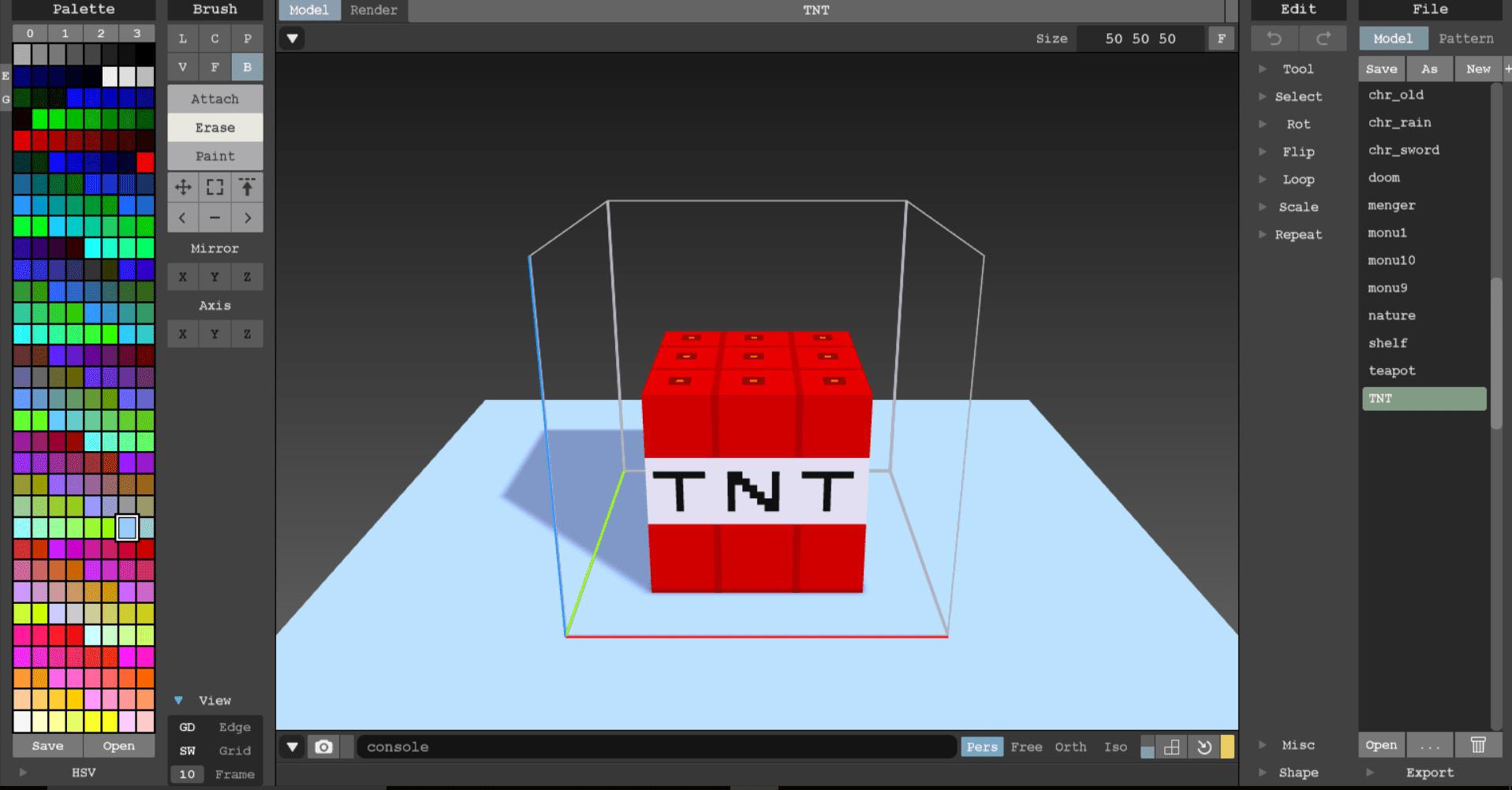
After a week of pitching, receiving feedback and polishing the idea for I Really Need This Job (IRNTJ) we managed to create a good working feature spec doc and tech spec doc to describe the features and mechanics of the game that we are aiming for. We also managed to discuss and create an Art Bible written by Nick, to ensure that the art style of the game is consistent throughout the game. The main form of asset creation in this game will be made through MagicaVoxel which is a tool which allows us to create voxel assets easily. By going through the basic tutorial and playing around in the editor itself allowed me to create the TNT asset for our game. I was able then able to export this file as an .obj file which is usable by Unity. This is not only extremely useful for our project this trimester but also for any of my own future projects as it can be used as assets for my own games as I have had problems in the past of creating my own assets with no experience in 3D modeling.
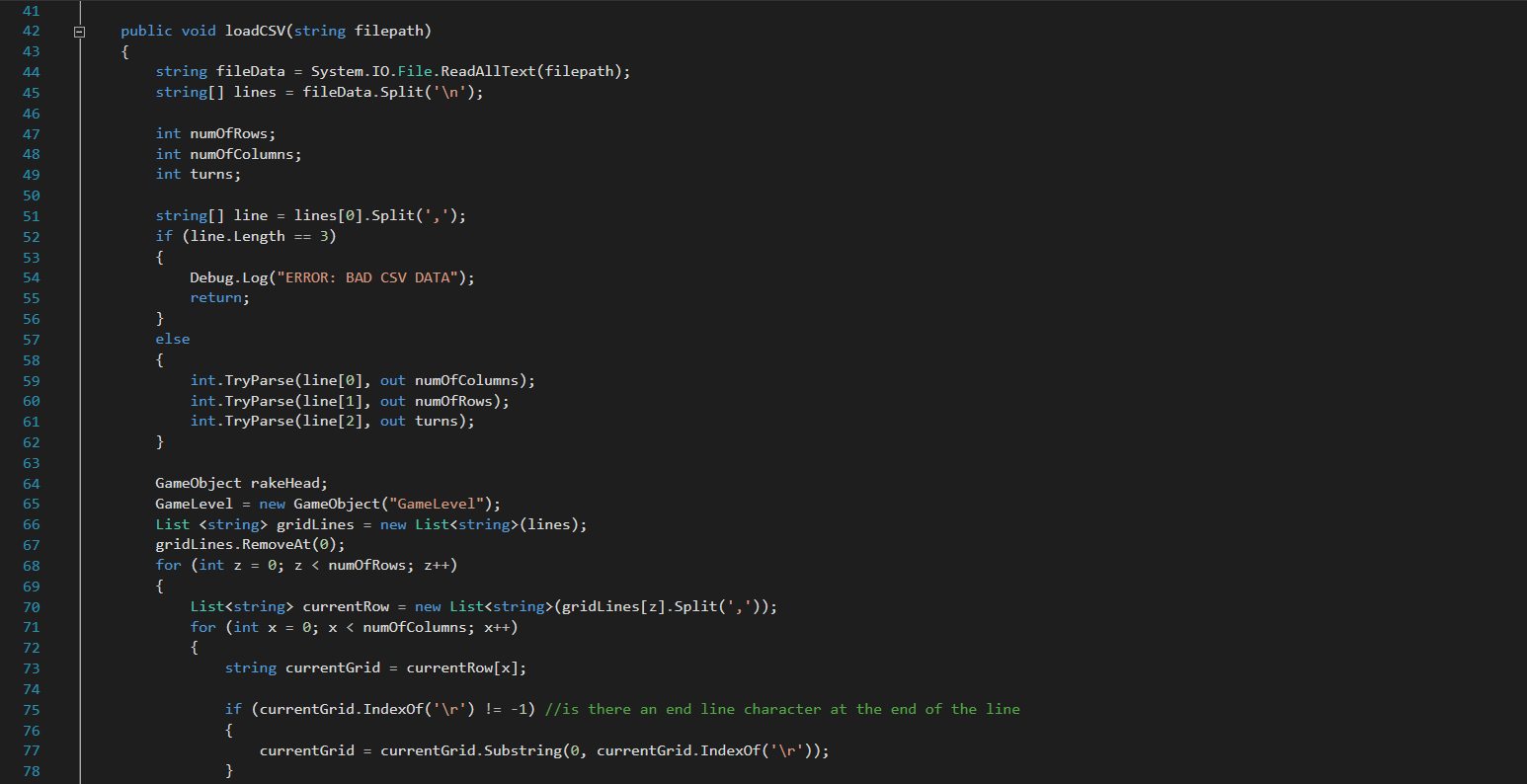
The main focus for this week was to get 3 levels of the game working and playable by the start of the next week for a playtest. A large aspect of our game was having different levels to load in using CSV and therefore the CSV loading was the first aspect of the game that I focused on. I followed the tech spec when creating the CSV with one big difference and that is when reading the CSV instead of reading the gameobjects into an array simply instantiate it into the scene world. This extremely well and I was able to load the game objects in their proper positions, there was a small bug however where the last column of gameobject in the row wasn’t loading in. I after working through the debugger of unity I realised that this was caused by the end line character which is ‘\r’ added an extra character when detecting the gameobject.
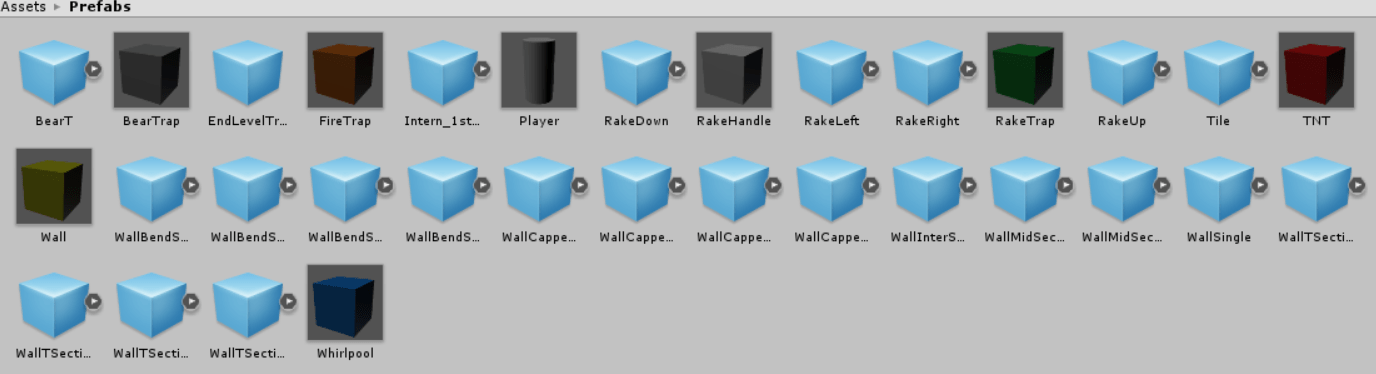
There were a large number of assets that needed to be loaded into the game world and we haven’t been able to create them yet so I used a number of placeholder assets, using coloured boxes and cylinders to differentiate between different gameobjects. This served its purpose and I was easily able to differentiate which gameobjects were which and was able to test the CSV parser.
I then worked on the player movement and making sure that the player moved only into grid locations. I did this by creating the player’s collision box to be the slightly smaller than the grid height and width, and I also applied this to the other game objects in the scene so that it would create a grid like movement. Additionally, when the player collides with a wall or another solid object, it would move the player back in the opposite direction to create a small buffer to prevent collision glitches. I am currently working on improving the movement by making sure that at the end of movement players would move to the center of the grid squares. Adding some variation to the movement using LeanTweens as demonstrated by Steve Halliwell’s demo on moving objects.

Leave a comment